Problem
Excel and SMS chaos
The plan lives in a spreadsheet, and changes get lost in the group chat.
With ShiftFriend
One plan everyone can see
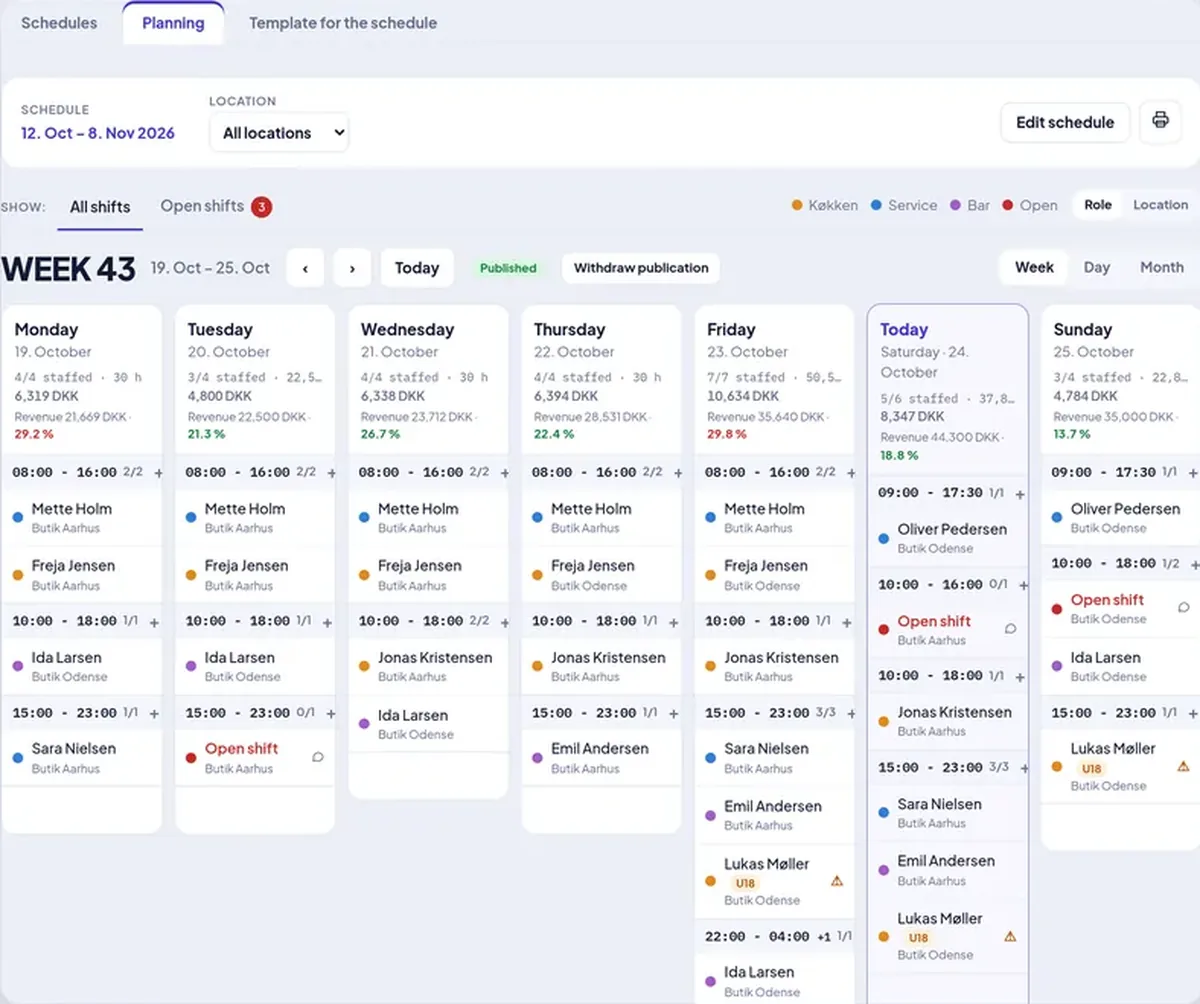
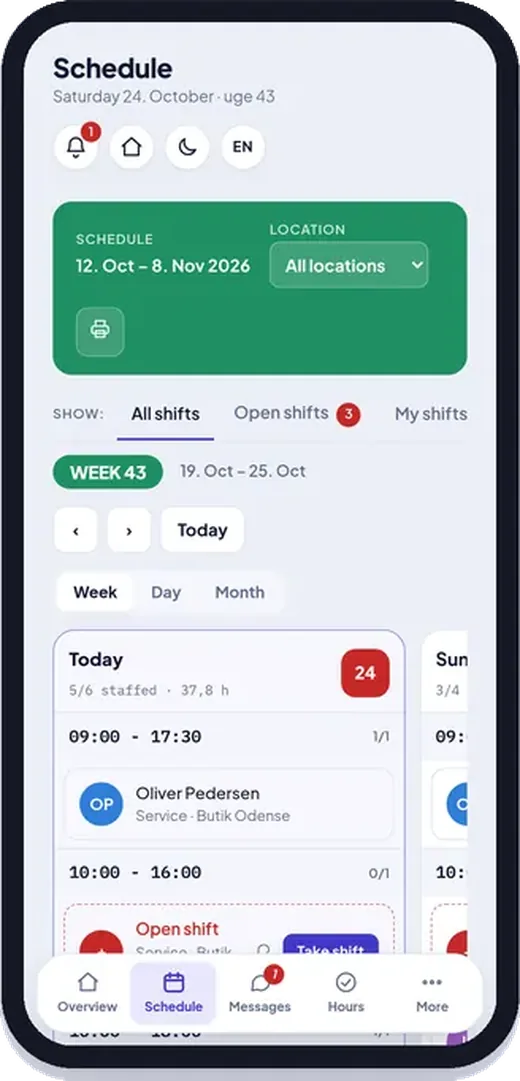
The schedule lives in the app and in employees' calendars, and changes are sent automatically.
Scheduling, clock-in, payroll and chat in one app – for restaurants, cafés and shops.
Three things that steal time every week – and how ShiftFriend fixes them.
The plan lives in a spreadsheet, and changes get lost in the group chat.
The schedule lives in the app and in employees' calendars, and changes are sent automatically.
Someone remembers wrong, and suddenly you are a person short.
Push, email and SMS remind people of their shift – and open shifts can be taken in one tap.
Timesheets are typed in by hand, and supplements are worked out manually.
Clock-ins, supplements and overtime are calculated automatically and exported to your payroll system.
From the first shift to a finished payroll run – all in one app.
Build the week with drag and drop, templates and staffing needs. AI drafts a plan from availability, absence and rules – you approve before anything is published.
Employees clock in with their 4-digit code on the shop tablet – or on their phone with a GPS check, so time is recorded in the right place.
Evening, night, weekend and holiday supplements, breaks and overtime are calculated automatically. With Pro you choose your payroll system and run payroll straight from the approved hours.
Message a colleague, a group or everyone. Employees get push notifications, swap shifts and take open shifts themselves – you approve in one tap.
Holiday and absence are requested and approved in the app, and you always see each employee's holiday, time-off-in-lieu and flex balance.
See the week's hours and wage cost while you plan. Reports show hours, overtime, absence and wage cost per period – with CSV export for your payroll system.
Share contracts and handbooks with read-and-accepted receipts. Give department managers access to exactly the tasks they run.
From an empty plan to your first published week in an afternoon.
Choose a name and address. You are up and running in minutes – no card.
Send a link by email or SMS. They sign in and see their shifts right away.
Plan the week and tap Publish. Everyone is notified on their phone automatically.
Everything they need is on their phone. And they never pay a penny.
Free for employees – always
All prices exclude VAT. Employees never pay.
from 129 DKKper month
Incl. 10 employees · 7 kr per extra
One location with scheduling, time clock, payroll and chat.
See detailsfrom 249 DKKper month
Incl. 10 employees · 5 kr per extra
Multiple locations, AI scheduling, payroll export and documents.
Up to 60% cheaper1See all prices and features
1 Compared with public list prices for similar Danish shift-planning solutions (Pro level), September 2026.
No. You pay month by month (or year by year) and can cancel at any time. The subscription ends at the end of the period.
You get 30 days with all Pro features without a card. Then you choose Starter or Pro. If you don't choose, the schedule becomes read-only for you – employees can still see their shifts and clock in, and nothing is deleted.
Never. Employees use the app for free and never see anything about billing.
With Pro you choose your payroll system and download approved hours, supplements, overtime and absence as a file for Danløn, Dataløn, Proløn, Salary, Zenegy, Lessor or Visma Lønservice – or as CSV and Excel. Direct integrations are coming soon.
All prices exclude 25% VAT. VAT is added at checkout.
In Pro, AI drafts the schedule from employees, availability, absence, rules and staffing requirements. You see staffing before and after, and nothing is published until you choose to.
Try every Pro feature free for 30 days – no card.
We use necessary cookies to make ShiftFriend work. With your consent, we also use statistics to improve the site. Read more